Clean day-trading layout
Few columns, win/loss colors on Profit, and an optional setup highlight.
| Symbol | Setup | Lots | Profit | Notes |
|---|---|---|---|---|
| ES | CBreak | 2 | +420 | Clean retest |
| NQ | Impulse | 1 | -180 | Early entry |
Features
JouView is a live journal that you build around your playbook. Use custom columns, colors, nested groups, formulas, and stats. Review trades without leaving TradingView. Click any screenshot to expand.
Few columns, win/loss colors on Profit, and an optional setup highlight.
| Symbol | Setup | Lots | Profit | Notes |
|---|---|---|---|---|
| ES | CBreak | 2 | +420 | Clean retest |
| NQ | Impulse | 1 | -180 | Early entry |
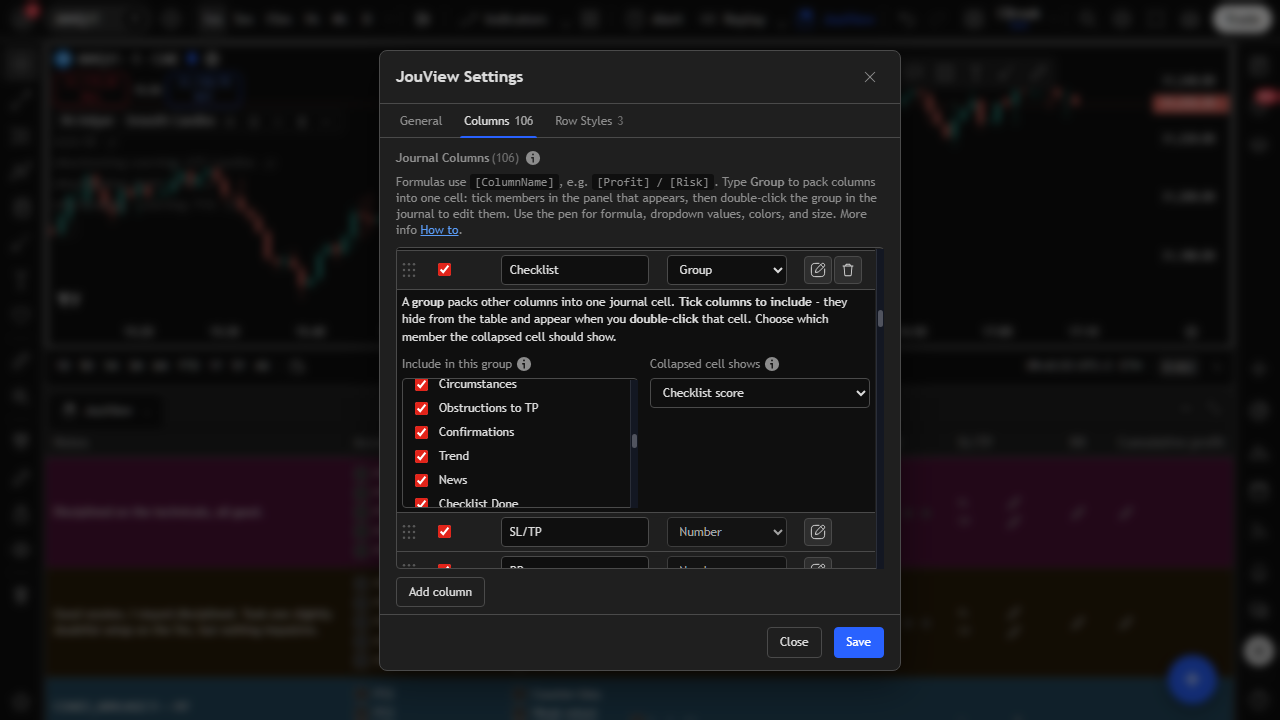
Example: a personal playbook checklist packed into a nested group. It has three yes/no rules plus a score.
| Setup | Planned trade | Retest done | Liquidity grabbed | Checklist score |
|---|---|---|---|---|
| CBreak | Yes | Yes | Yes | 3 |
| Impulse | Yes | No | Yes | 2 |
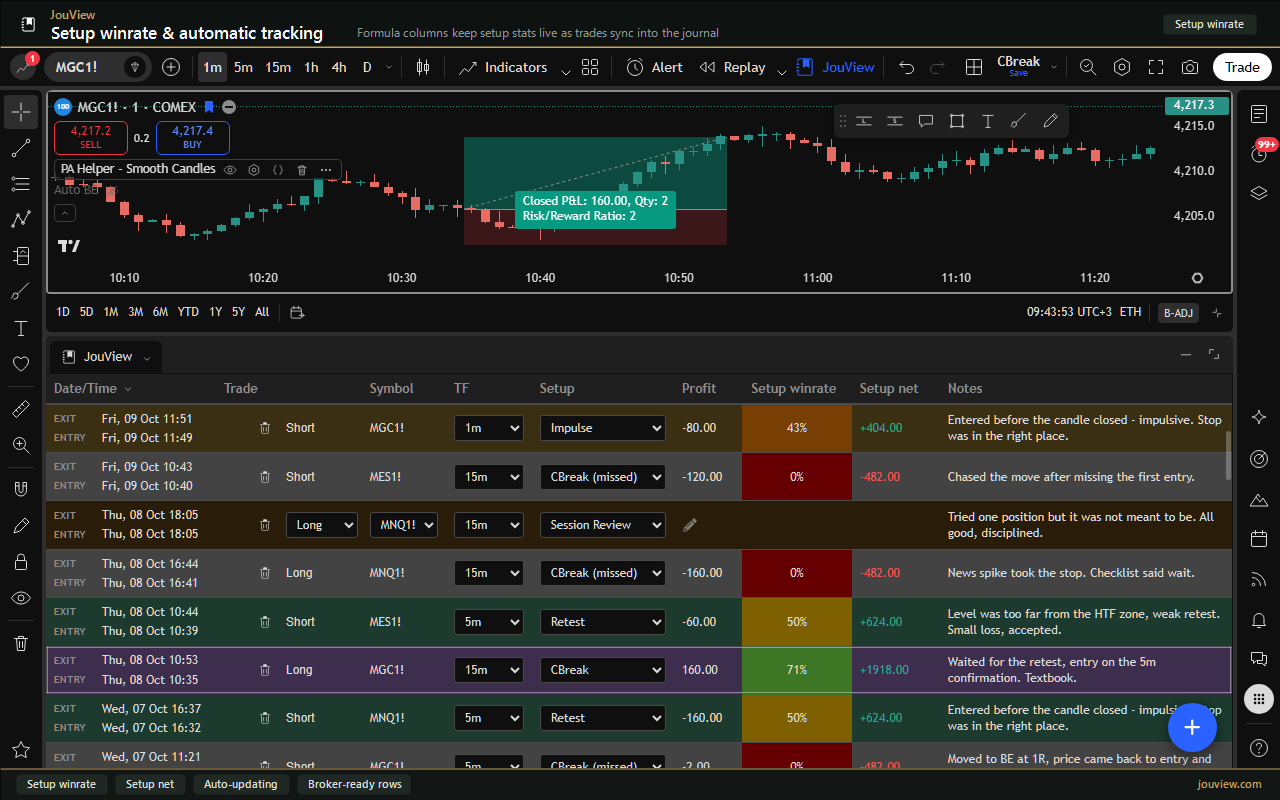
Very small formulas go a long way: addition, division, averages.
Built from the same journal rows.
JouView docks under TradingView so your trades stay next to price. Log direction, symbol, setup, size, and notes without leaving the chart.
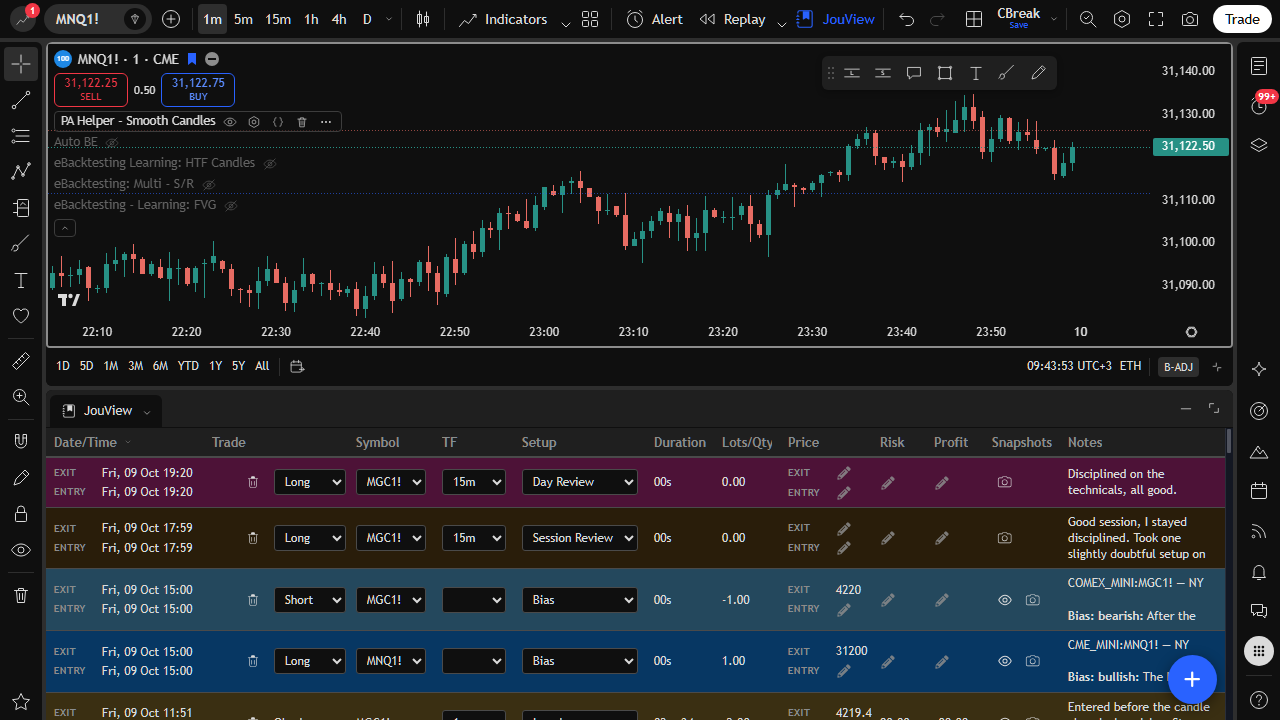
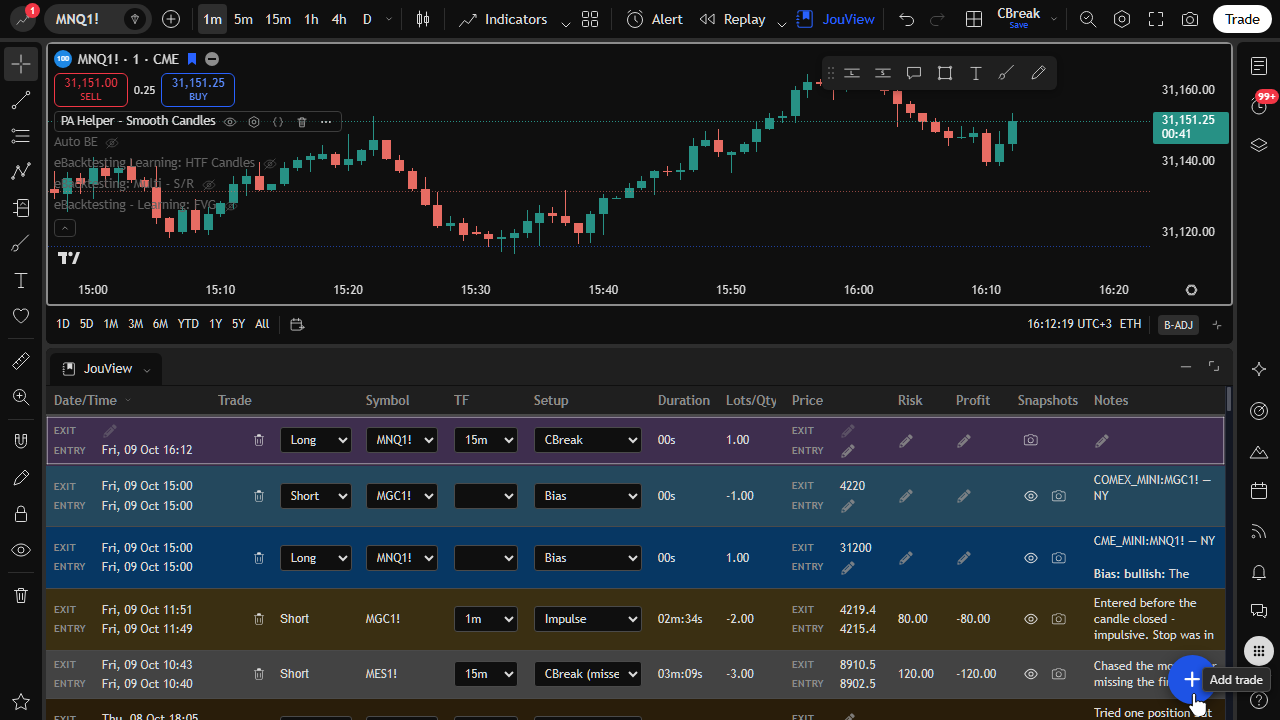
Use the plus button for a new row, then edit cells inline. Change direction, symbol, timeframe, size, prices, and notes.
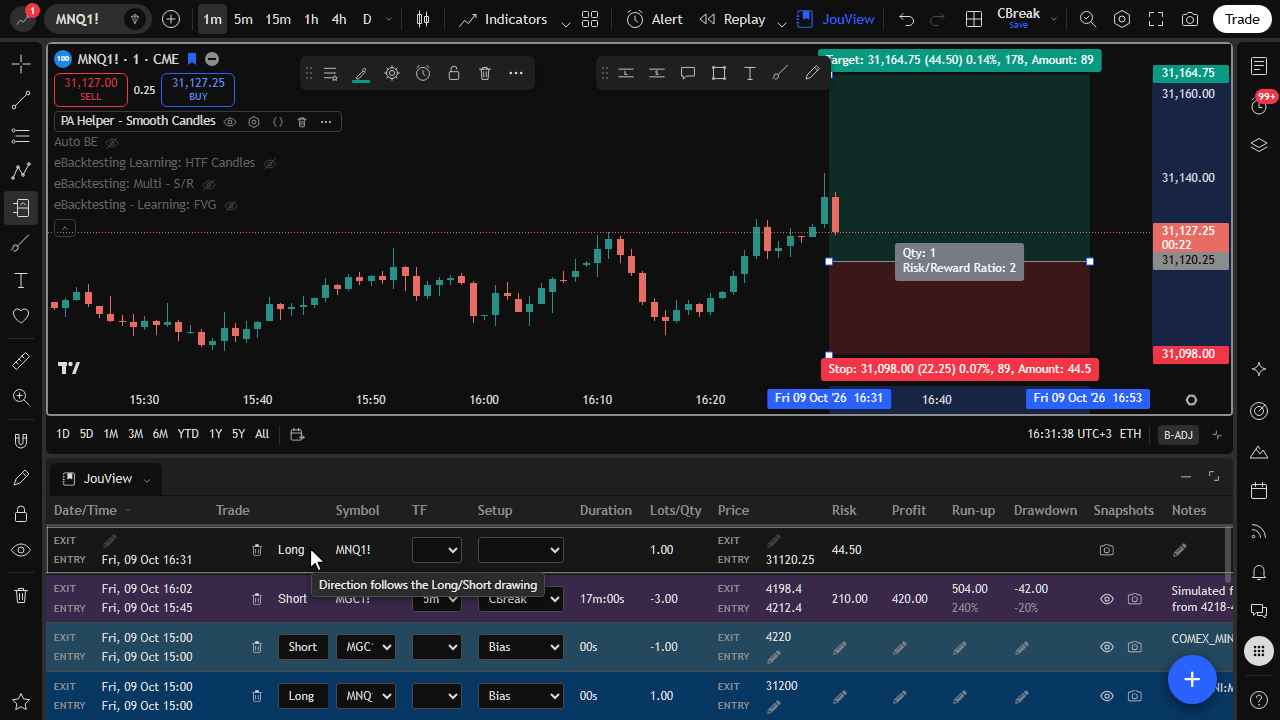
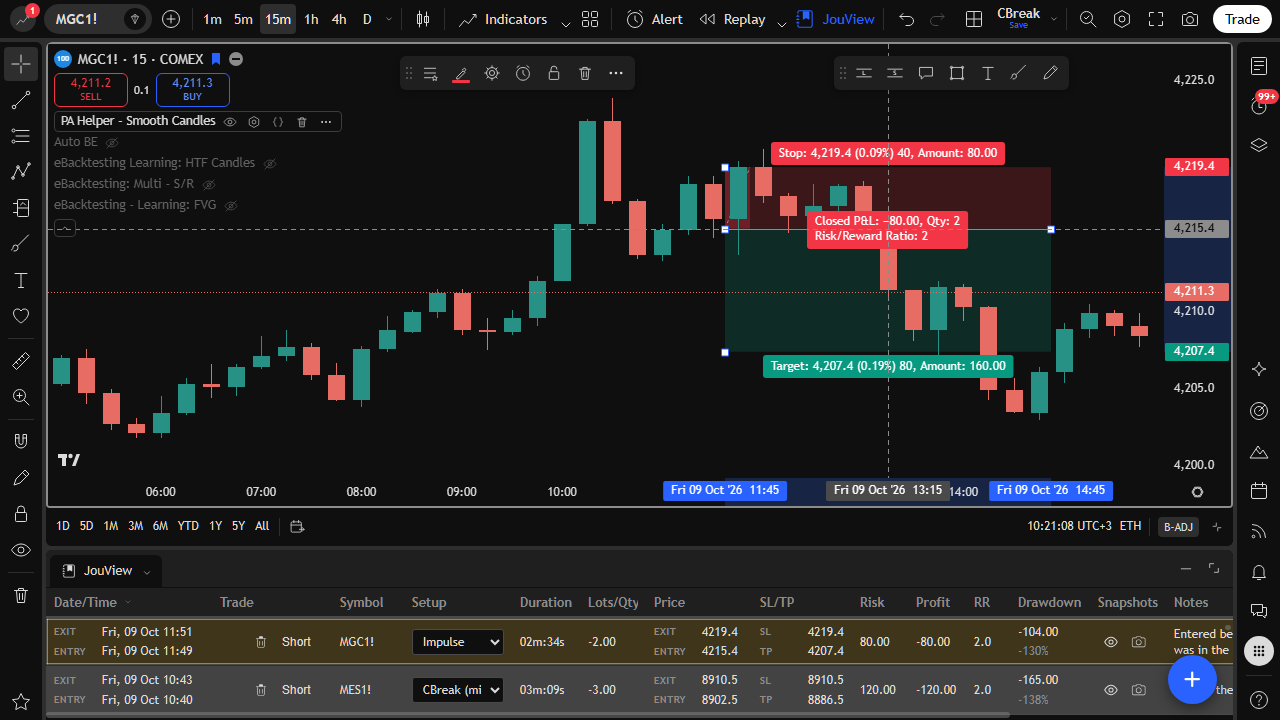
When you place a Long or Short drawing, the journal can follow direction, entry, stop, and target. Risk stays visible on both the chart and the row.
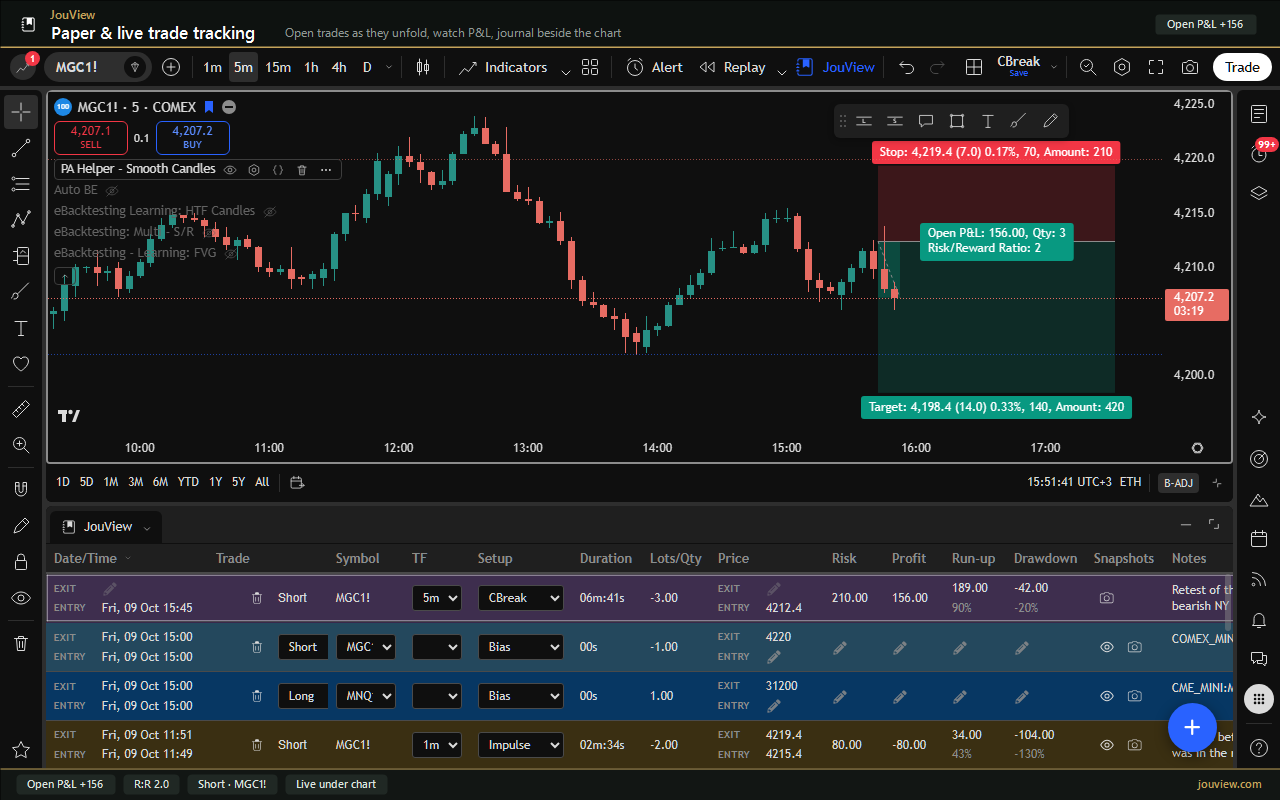
Use JouView to paper trade on TradingView. Open simulated trades as they go live, watch P&L update, and track every decision in the same journal. You don't calculate every fill by hand, and you don't need a broker connection.
Works with any broker that you trade through TradingView. Bring those fills into the same journal. See live profit on open rows. Use optional auto break-even. Confirm before adding when you want control.
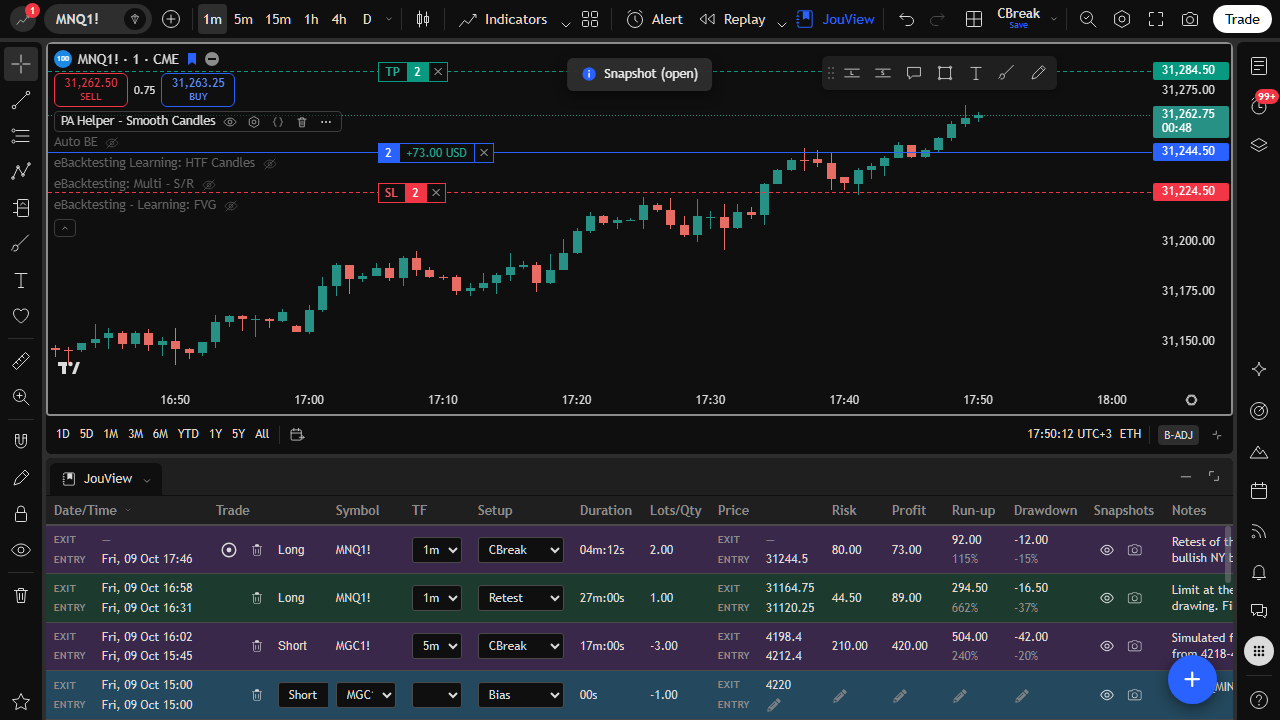
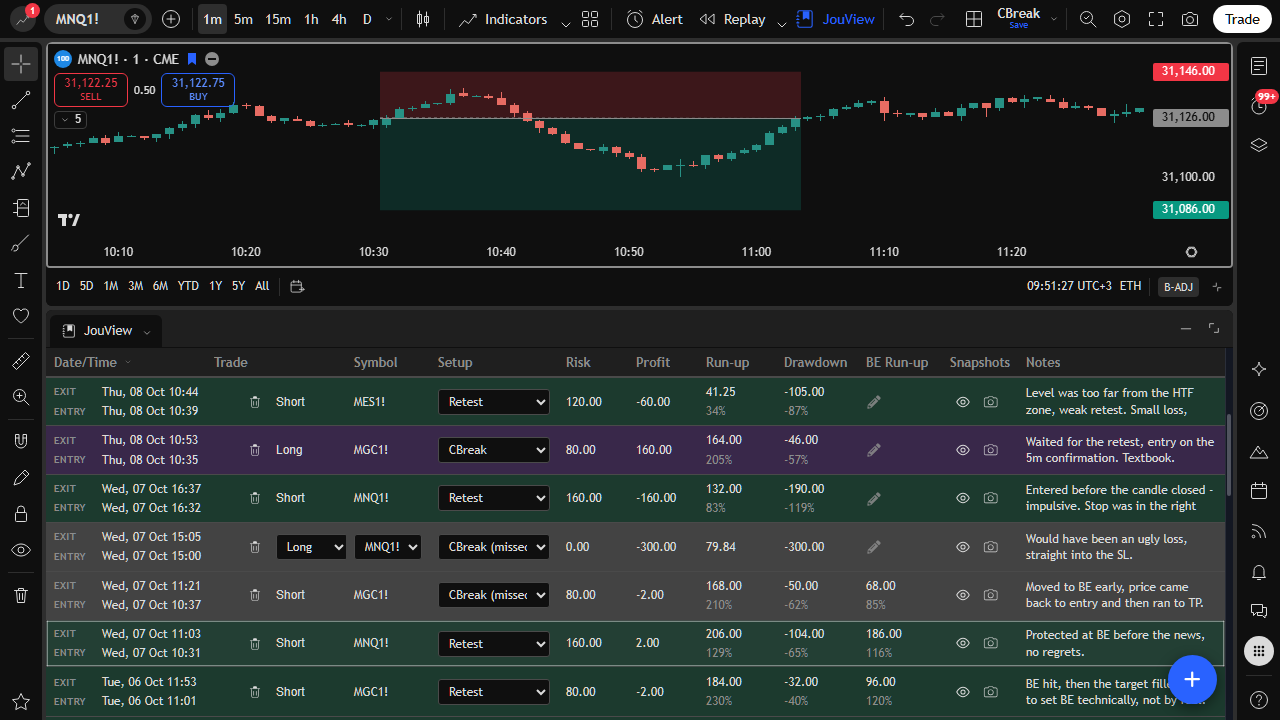
Capture entry and exit, stops and targets, and position size. Then track run-up and drawdown in money or percent so each trade shows how it really went.
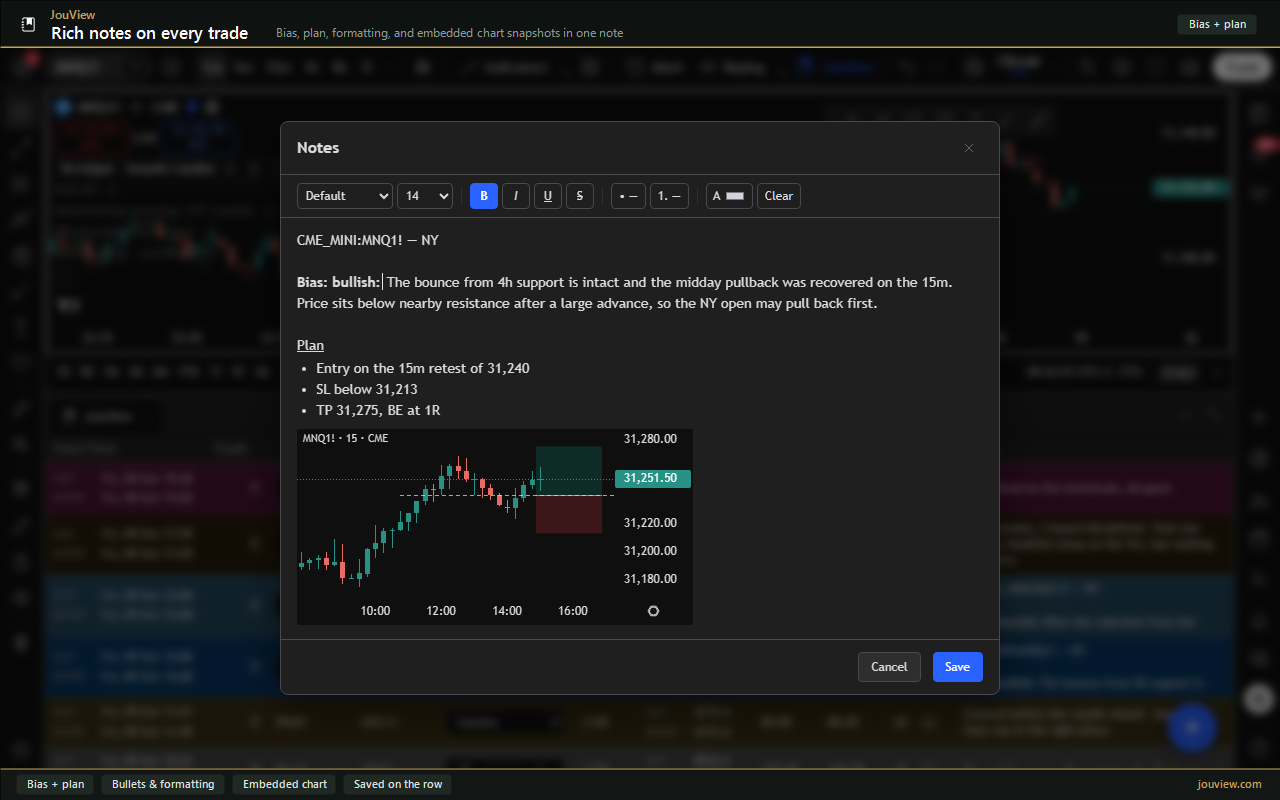
Write a full bias and plan with formatting and embedded chart snippets. Or drop a short inline note when you only need a sentence.
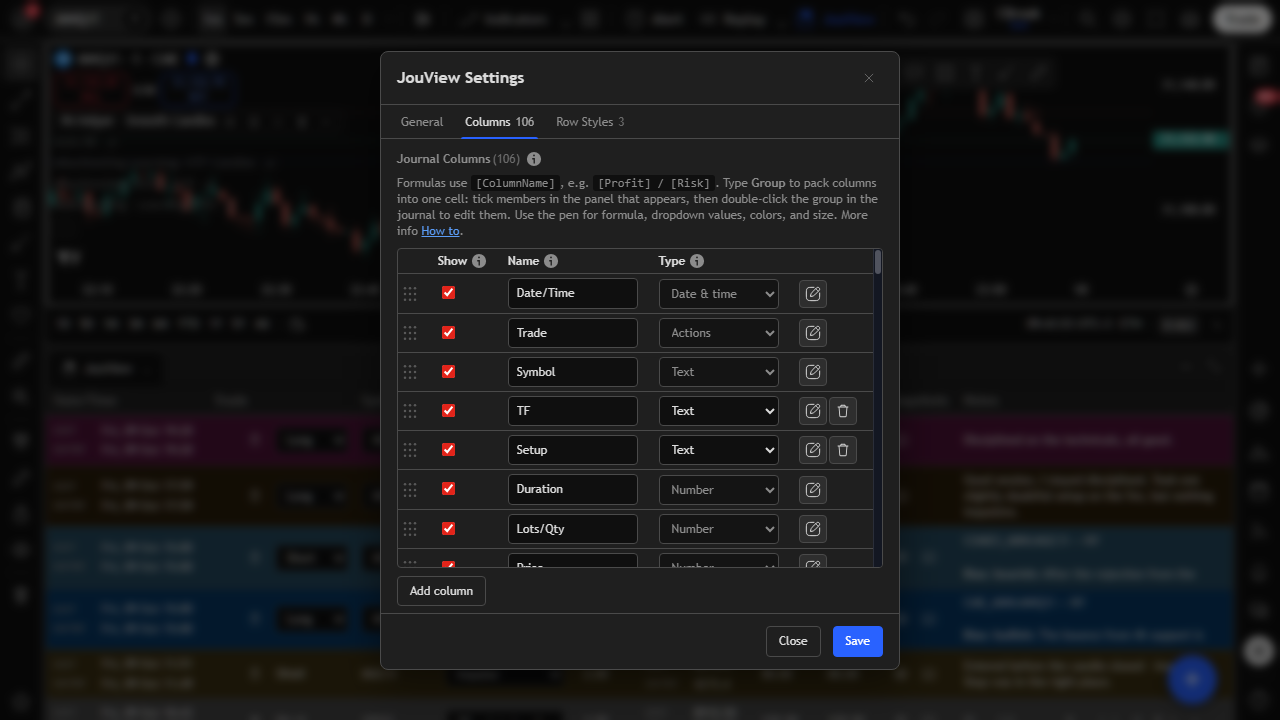
Shape the journal to your playbook. Show or hide fields, choose types, add dropdown values, and reorder so every session matches how you trade.
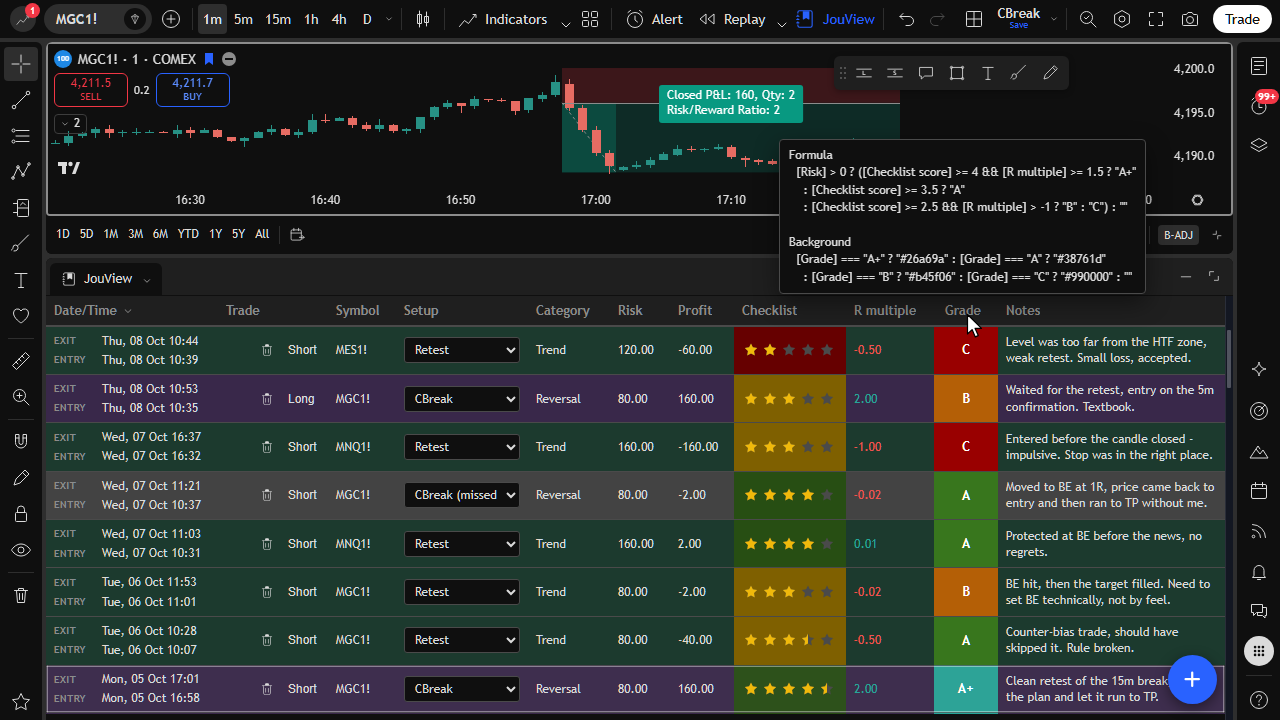
Add simple formulas like R-multiple or checklist score. Results show in the journal so risk and process stay visible on every row.
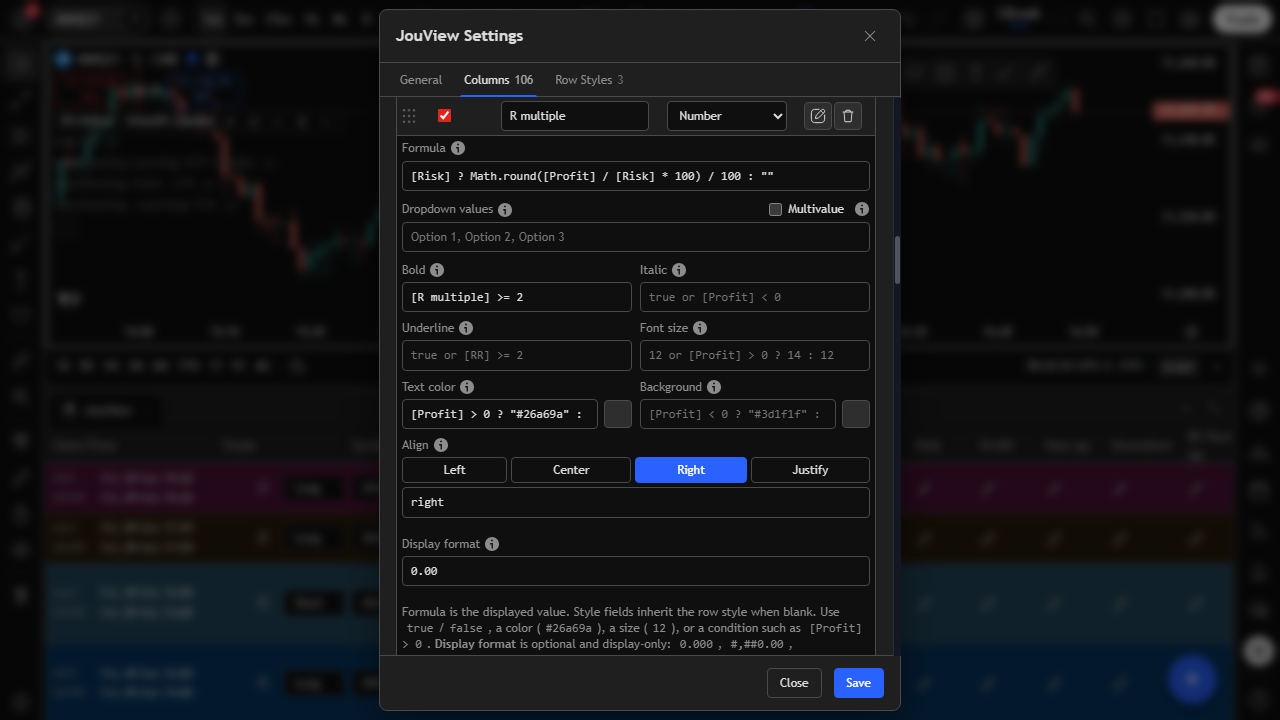
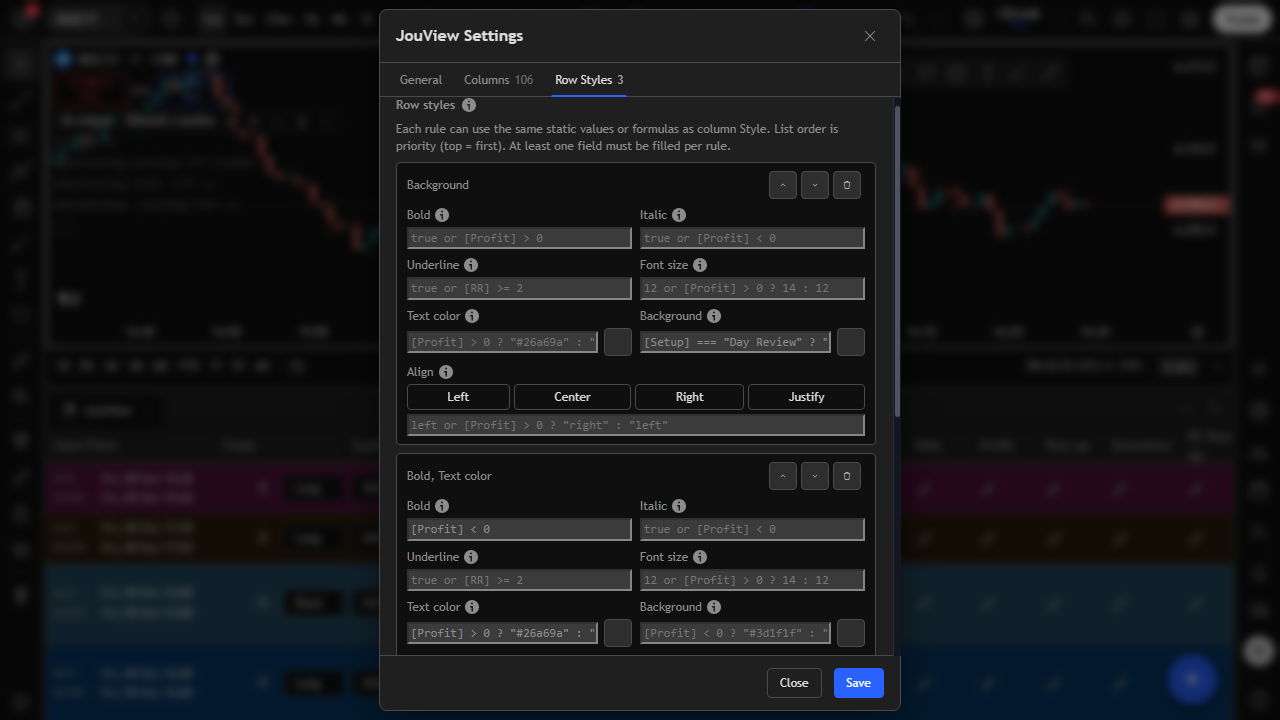
Highlight wins, losses, tags, or formula results so the journal is easy to read at a glance. Pick colors from a popover and save rules that you reuse every session.
Pack related columns into one cell, for example a personal playbook checklist. Open the group popup, score with stars or yes/no, and show the score back on the journal row.
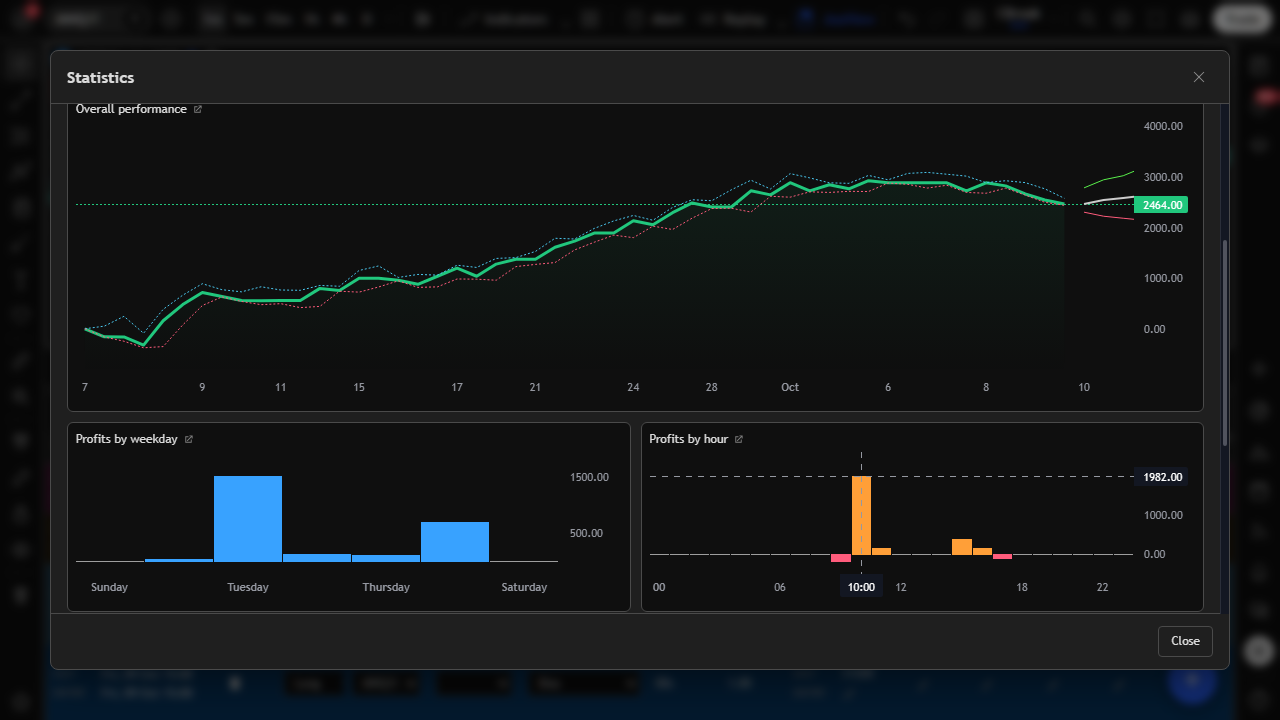
Win rate, profit factor, expectancy, drawdown, streaks, and an equity curve all come from the same journal rows that you already keep on TradingView.
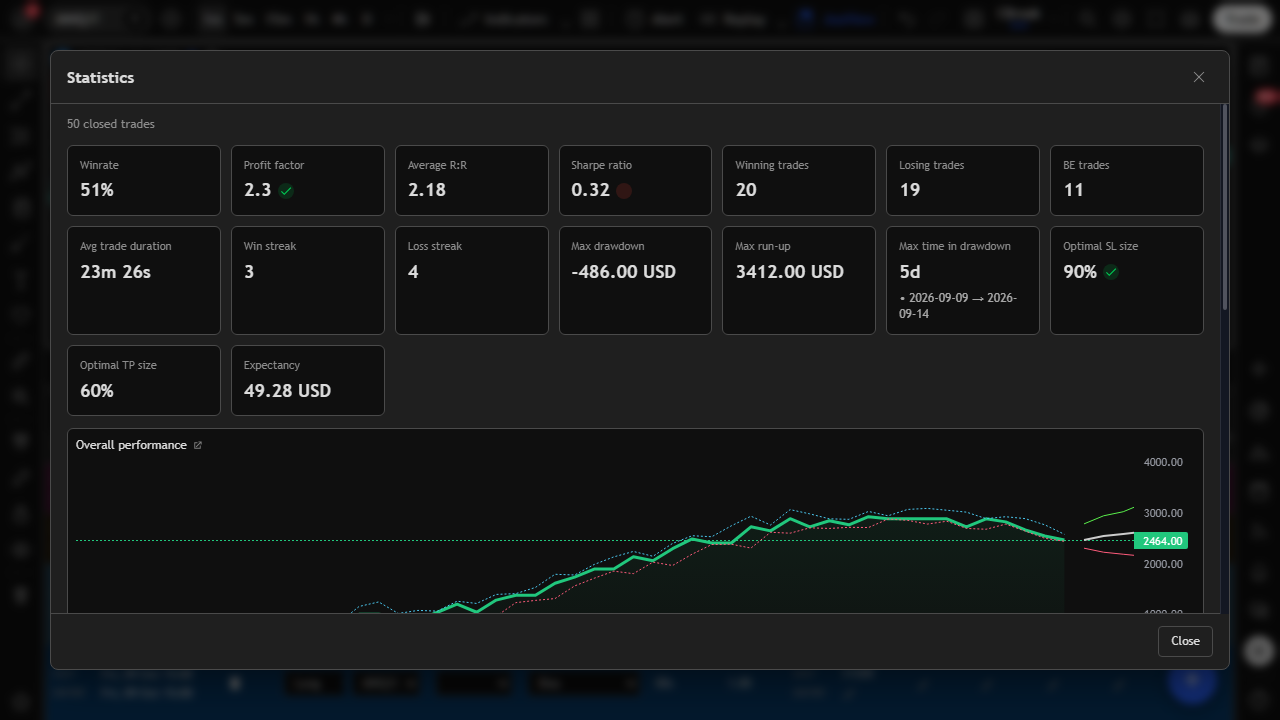
Break results down by weekday and hour. Compare setups. Track win-rate progression. Run what-if views on break-even trades.
Keep entry, stop, target, and break-even on the chart. Capture snapshots of decision moments and review them from the journal row.
Style rows from formula results, grade trades automatically, and flag rule compliance. Review focuses on process, not only P&L.
Ask your AI on For your AI to personalize the journal around your strategy or way of trading. Import an older journal into JouView. Review performance. Export when you need Excel or a file elsewhere, including sharing complete records with a mentor or team.
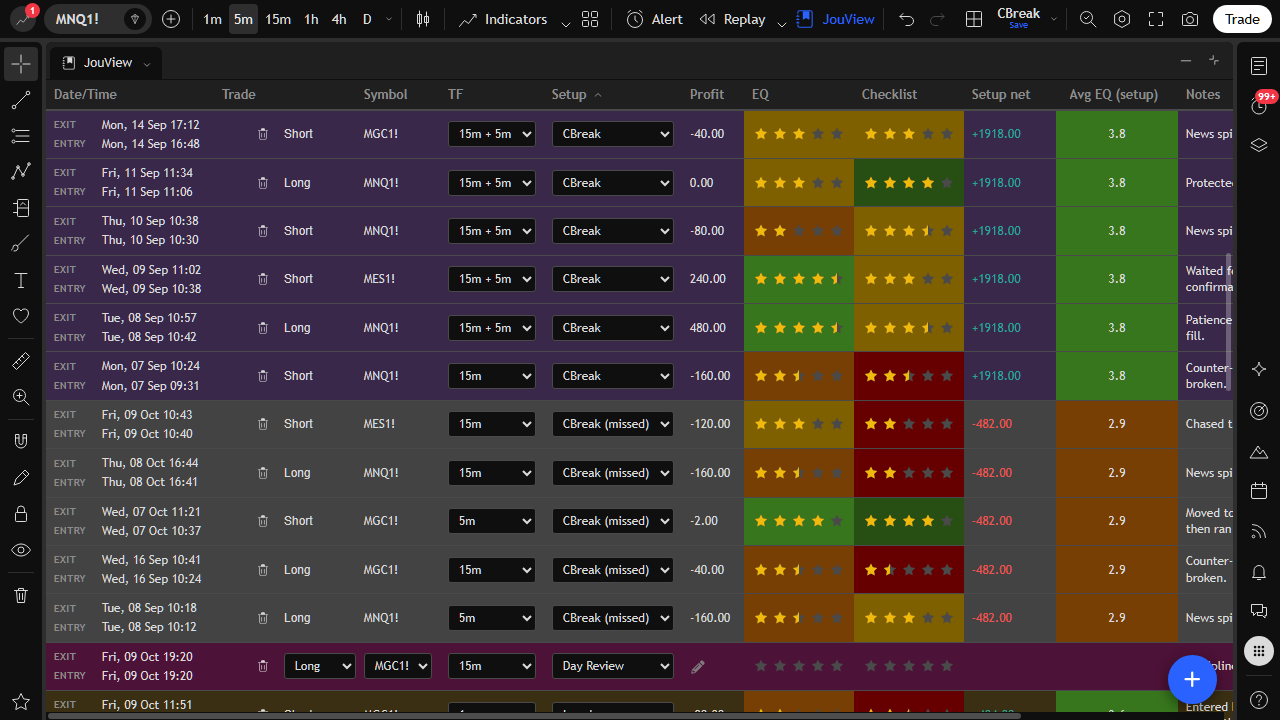
Break down performance by setup, tag, or playbook rule so you can separate real edge from hindsight bias. Stats and equity views stay tied to the same live journal rows.
Use cases
These are the jobs JouView is built for on TradingView: journal, import, simulate, measure, and take your data with you.