Journal on TradingView
Keep trades, notes, and custom fields beside the chart so review happens where you trade.
JouView
JouView is a TradingView extension for live trading journals. Add custom columns and formulas, sync broker fills, paper trade from drawings, review statistics, and personalize with AI. All of that stays inside TradingView.
Install JouView, sign in with Google, then open a TradingView chart. New accounts get 30 days of the Trader subscription plan.
Live on the chart
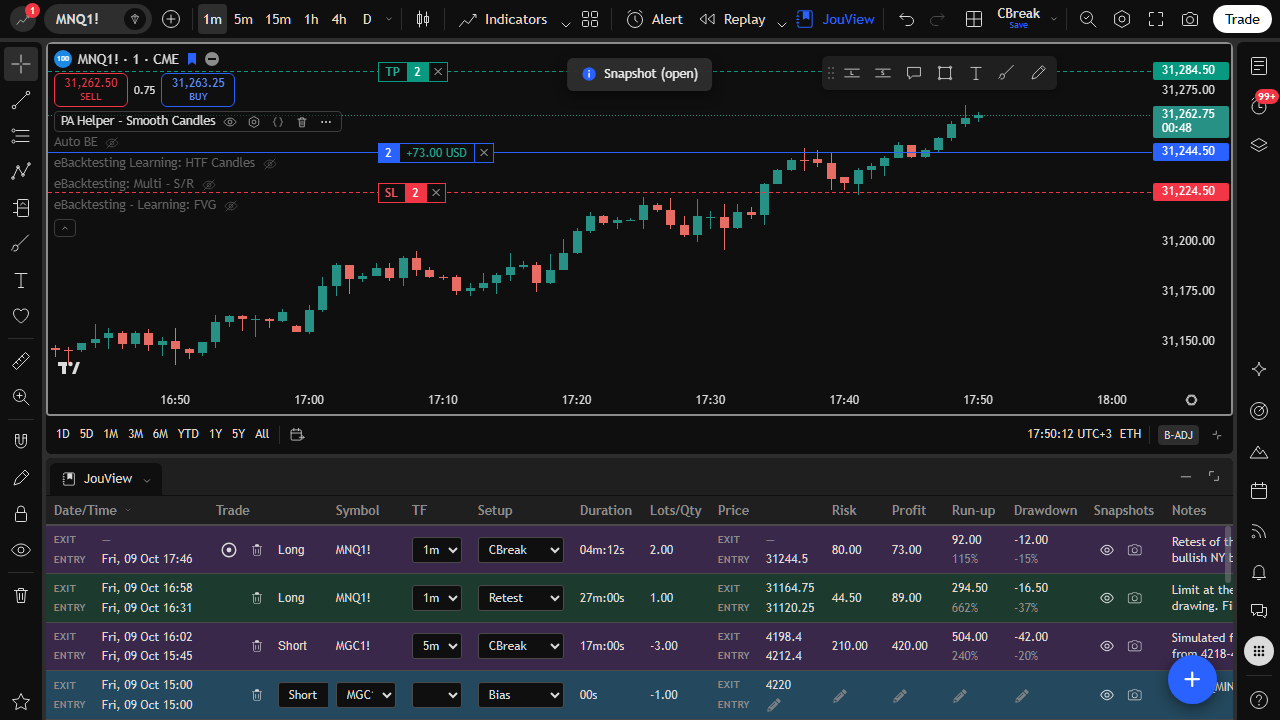
See open profit update as price moves
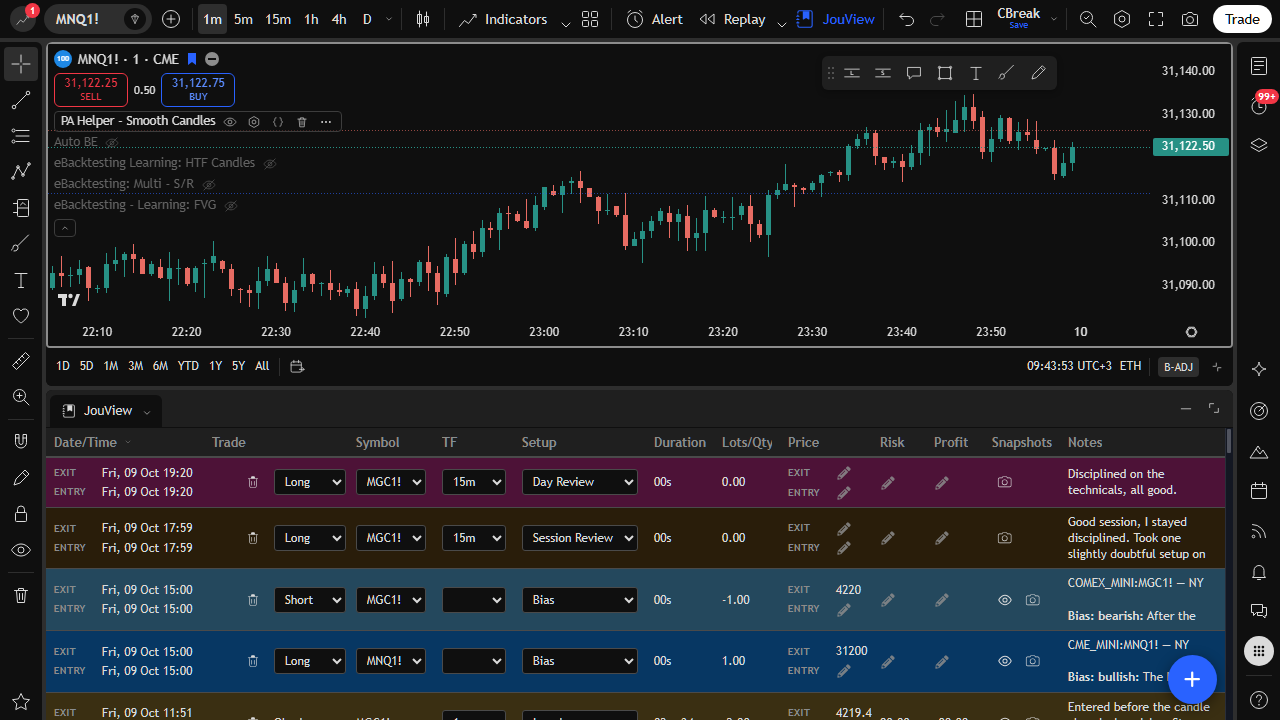
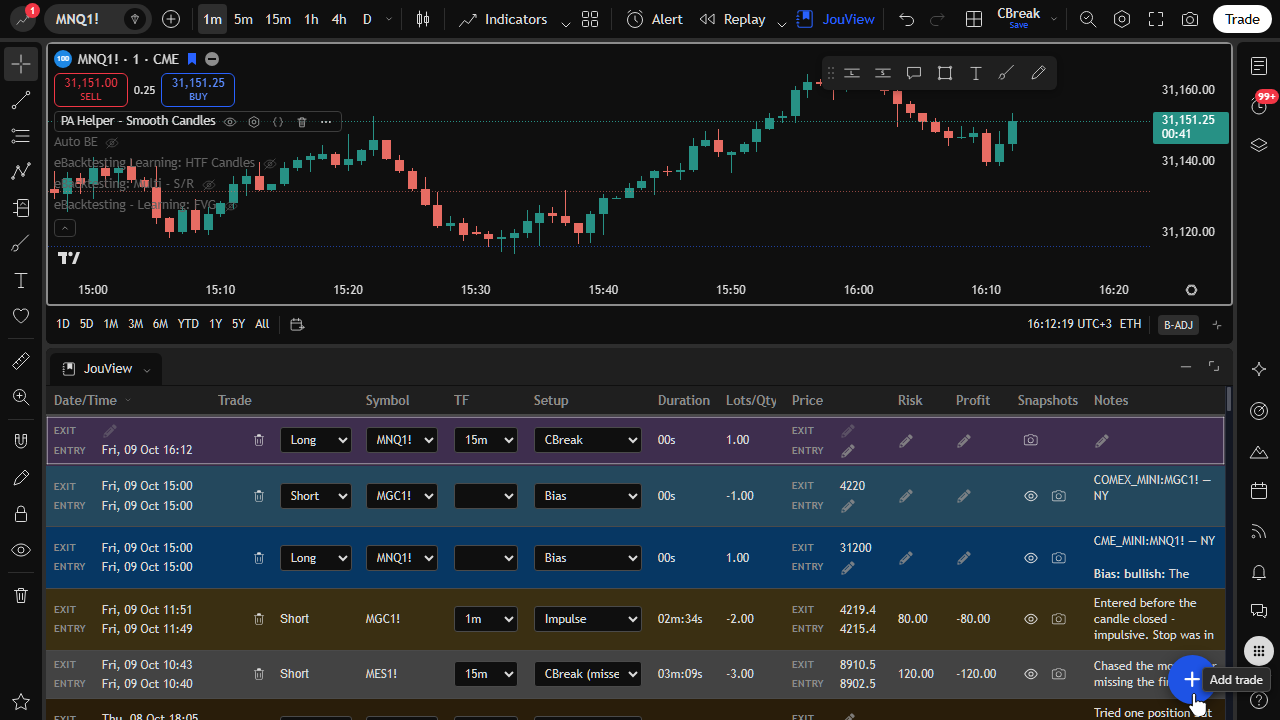
Your journal sits under TradingView. The open row tracks the trade while the market moves.
On TradingView
JouView runs inside TradingView, so your journal stays next to price. Columns, colors, nested groups, and stats are included.
Keep trades, notes, and custom fields beside the chart so review happens where you trade.
Use the browser add-on for TradingView web (Chrome, Edge, or Firefox), or TradingView x JouView for Windows Desktop. You get the same journal either way.
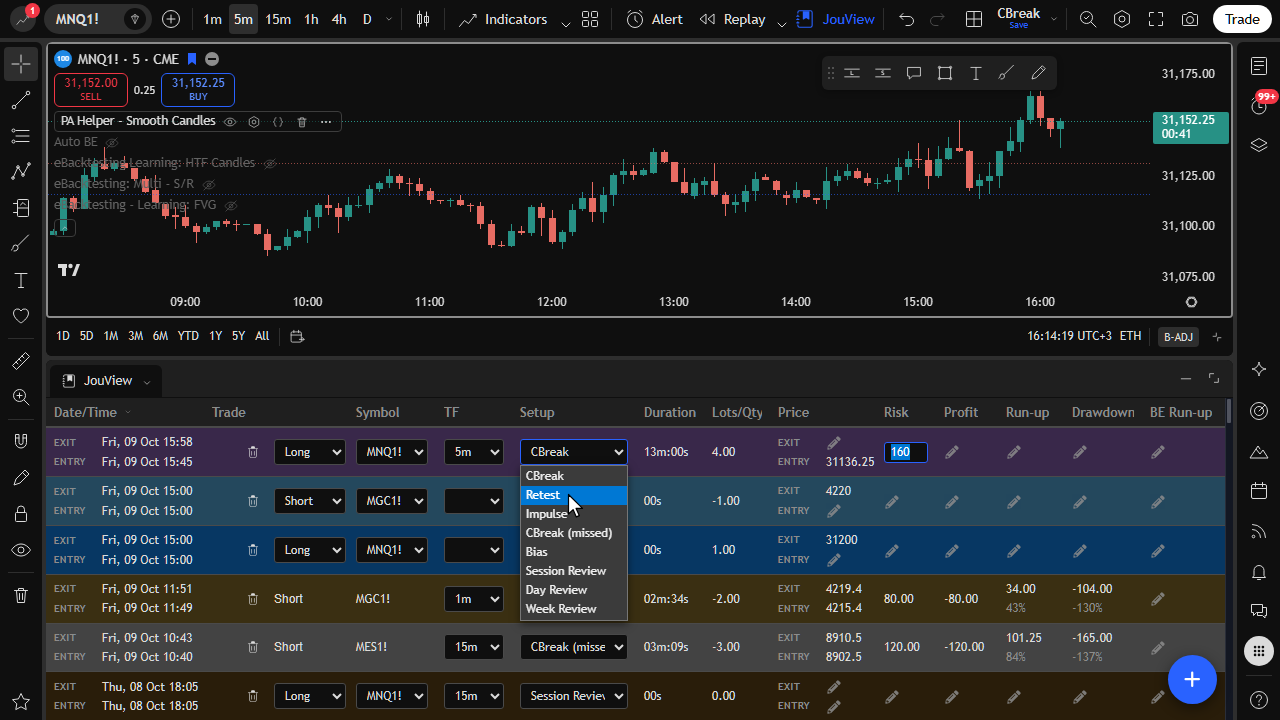
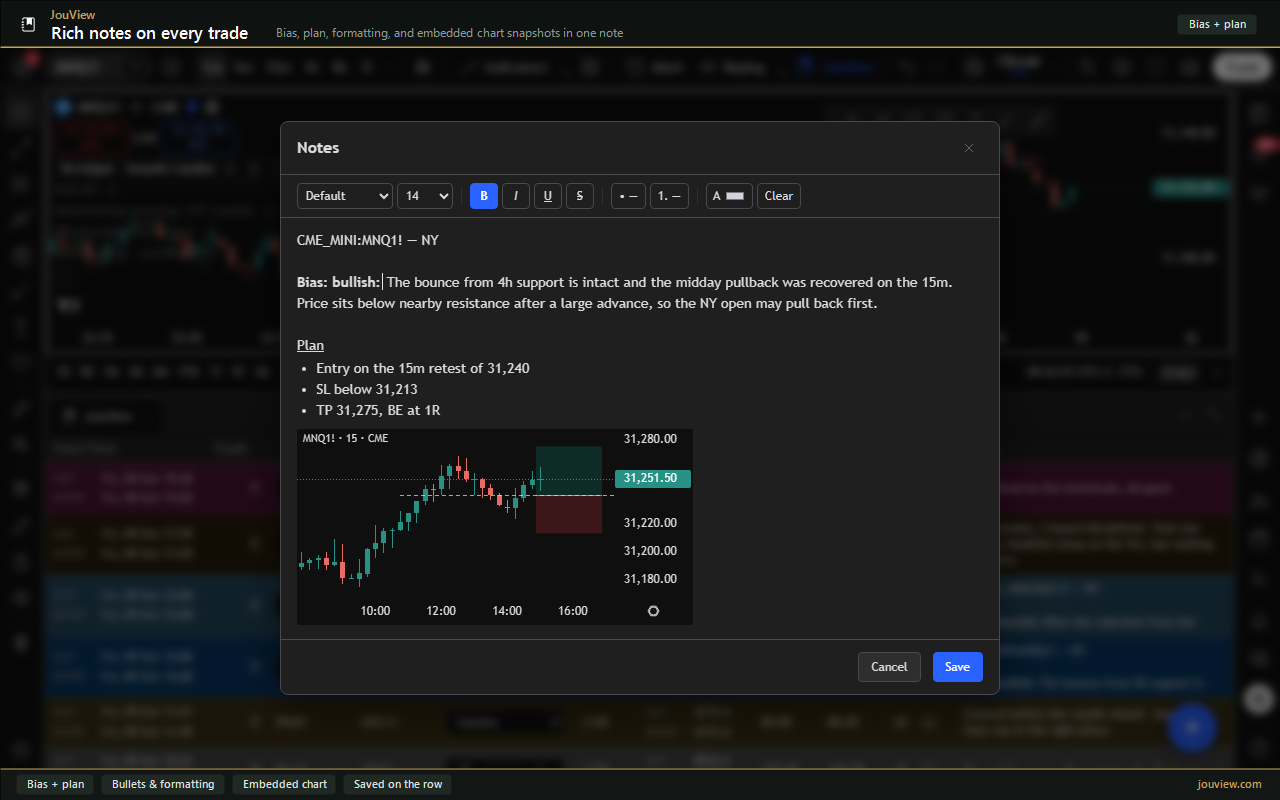
Add setups, tags, formulas, and nested-group fields so each row matches your playbook.
Highlight wins, losses, or tagged setups so the journal is easy to read at a glance.
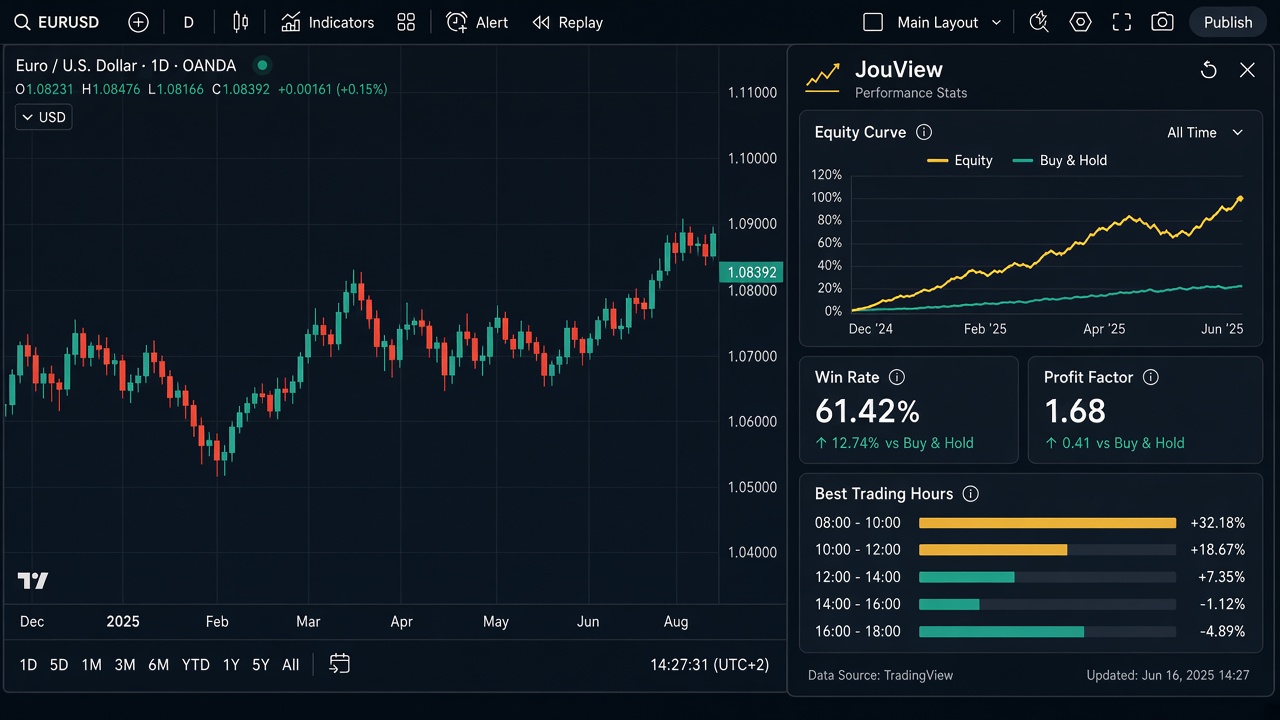
See win rate, expectancy, run-up, drawdown, and more from the journal that you build on TradingView.
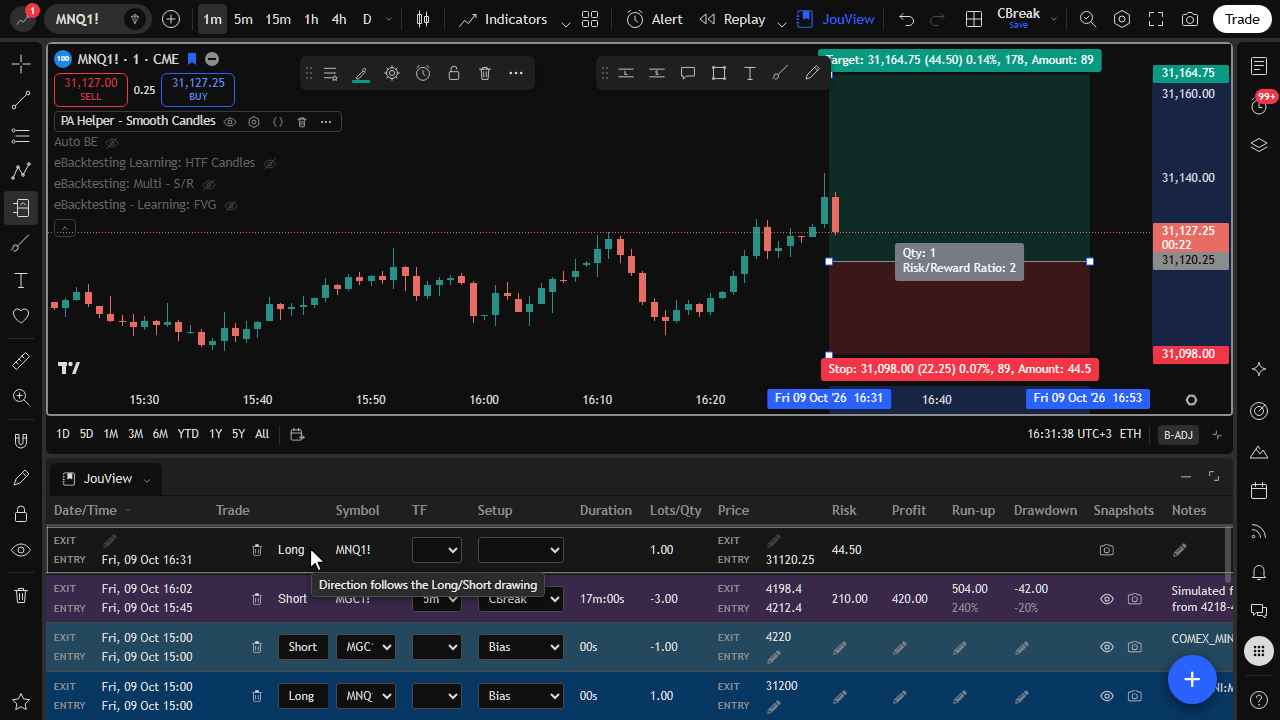
Open simulated trades as they go live. Track P&L without calculating every fill by hand. They use the same journal as live rows.
Same product, different setups. Start simple, then add colors, nested groups, and formulas as you go.
A short column set for quick sessions: setup tag, size, and P&L with win/loss colors.
| Date | Symbol | Setup | Lots | Profit | Notes |
|---|---|---|---|---|---|
| Mon 09:42 | ES | CBreak | 2 | +420 | Clean retest |
| Mon 11:05 | NQ | Impulse | 1 | -180 | Early entry |
| Mon 14:20 | ES | CBreak R | 2 | +310 |
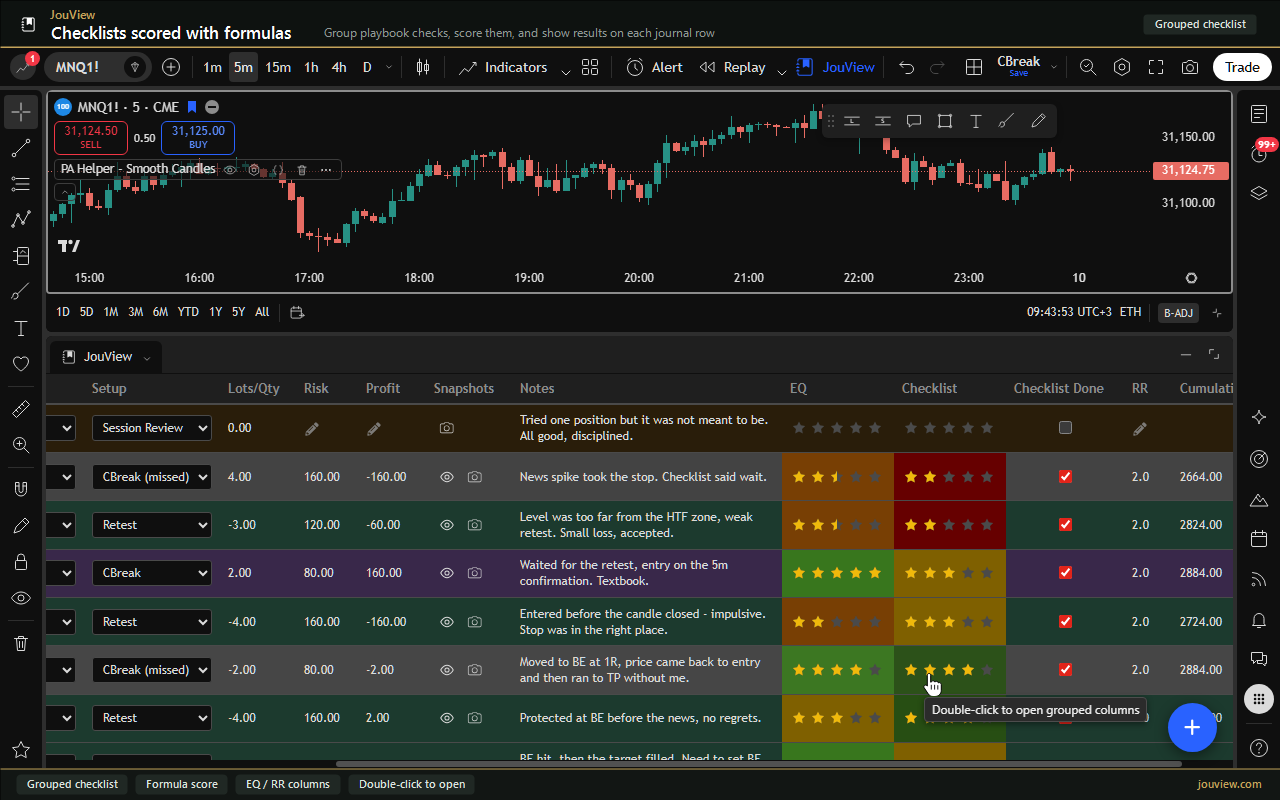
Tick a few rules after each trade. A simple score formula counts how many you followed.
| Symbol | Setup | Planned | Retest | Liquidity | Score | Profit |
|---|---|---|---|---|---|---|
| ES | CBreak | Yes | Yes | Yes | 3/3 | +420 |
| NQ | Impulse | Yes | No | Yes | 2/3 | -180 |
| ES | Bias | No | No | Yes | 1/3 | -95 |
Keep risk and reward visible with short formulas. RR comes from profit and risk. A running total tracks the day.
| Symbol | Setup | Risk | Profit | RR | Cumulative |
|---|---|---|---|---|---|
| ES | CBreak | 200 | +420 | 2.1 | +420 |
| NQ | Impulse | 180 | -180 | -1.0 | +240 |
| ES | CBreak R | 200 | +310 | 1.6 | +550 |
Once rows are filled, stats summarize what worked. You don't leave TradingView.
Start with the basics. Click any screenshot to expand. More is on the features page.
Use cases
JouView is for live journaling on TradingView. It works with any broker that you already use there. You can run paper simulation without fill math. Stats compare setups instead of hindsight stories.
Get JouView on TradingView, then shape the journal to your process.
Questions
A live trading journal inside TradingView, on the web or Windows Desktop. Columns, formulas, broker sync, paper trading, and stats stay under the chart.
You do, in TradingView. JouView records and reviews those trades. Order entry stays on the chart.
Starter is free. Explorer is $7.99 per month. Trader is $9.99 per month. A new Google account starts with 30 days of the Trader subscription plan. Stripe collects a card only if you subscribe.
Install the add-on or Windows app, sign in with Google, link your TradingView username, and open a chart. The journal is in the bottom panel. The setup guide walks through each step.
It is stored for your account. Sign-in uses a necessary session cookie. JouView sells no trades. Card numbers stay with Stripe. Read the privacy policy or email [email protected].
Start with a 30-day Trader trial when you create an account. Cancel anytime from the billing portal.